Categories:
Corporate AI Training
AI Agents vs. AI Assistants: What's the Difference and When Should Businesses Use Each?
October 14, 2026
Introduction
Artificial intelligence is changing how businesses manage daily operations, serve customers, analyze information, and complete complex tasks. As AI technology evolves, two terms are becoming increasingly common: AI agents and AI assistants.
Although these technologies may appear similar, they are not exactly the same. AI assistants generally help people complete tasks by answering questions, generating content, providing recommendations, and responding to instructions. AI agents can go further by working toward a defined goal, making decisions within set boundaries, using available tools, and completing multiple steps with less continuous human input.
Understanding the difference between AI agents vs. AI assistants can help organizations choose the right technology for their needs. While an assistant may be ideal for supporting employees and improving productivity, an agent may be more suitable for coordinating workflows or automating repetitive processes.
In this guide, we will explain what AI agents and AI assistants are, how they differ, where businesses can use each technology, and how to decide which solution is right for your organization.
What Is an AI Assistant?
An AI assistant is an artificial intelligence system designed to help users perform tasks, find information, solve problems, and make decisions through natural-language interactions or other user interfaces.
AI assistants can understand questions, generate responses, summarize documents, explain concepts, draft emails, and help users work more efficiently. Depending on the system, they may also connect to external tools, retrieve information from company documents, or perform actions when a user requests them.
Many AI assistants use large language models (LLMs) to understand prompts and generate relevant responses. Other assistants may combine language models with search systems, business data, voice recognition, or predefined workflows.
How Does an AI Assistant Work?
An AI assistant typically follows a user-directed process:
- Receives an instruction: The user asks a question or describes a task.
- Interprets the request: The assistant uses its underlying AI model and available context to understand what the user needs.
- Generates a response: It provides information, recommendations, a draft, or another requested output.
- Supports the next step: The user can review the result, request changes, or authorize an available action.
Some assistants can also call tools or perform actions automatically. Therefore, an AI assistant is not necessarily limited to answering questions. The key distinction is that assistants are commonly designed around helping a person interact with information or complete a task, while AI agents are often designed around pursuing a goal across multiple steps.
Examples of AI Assistants
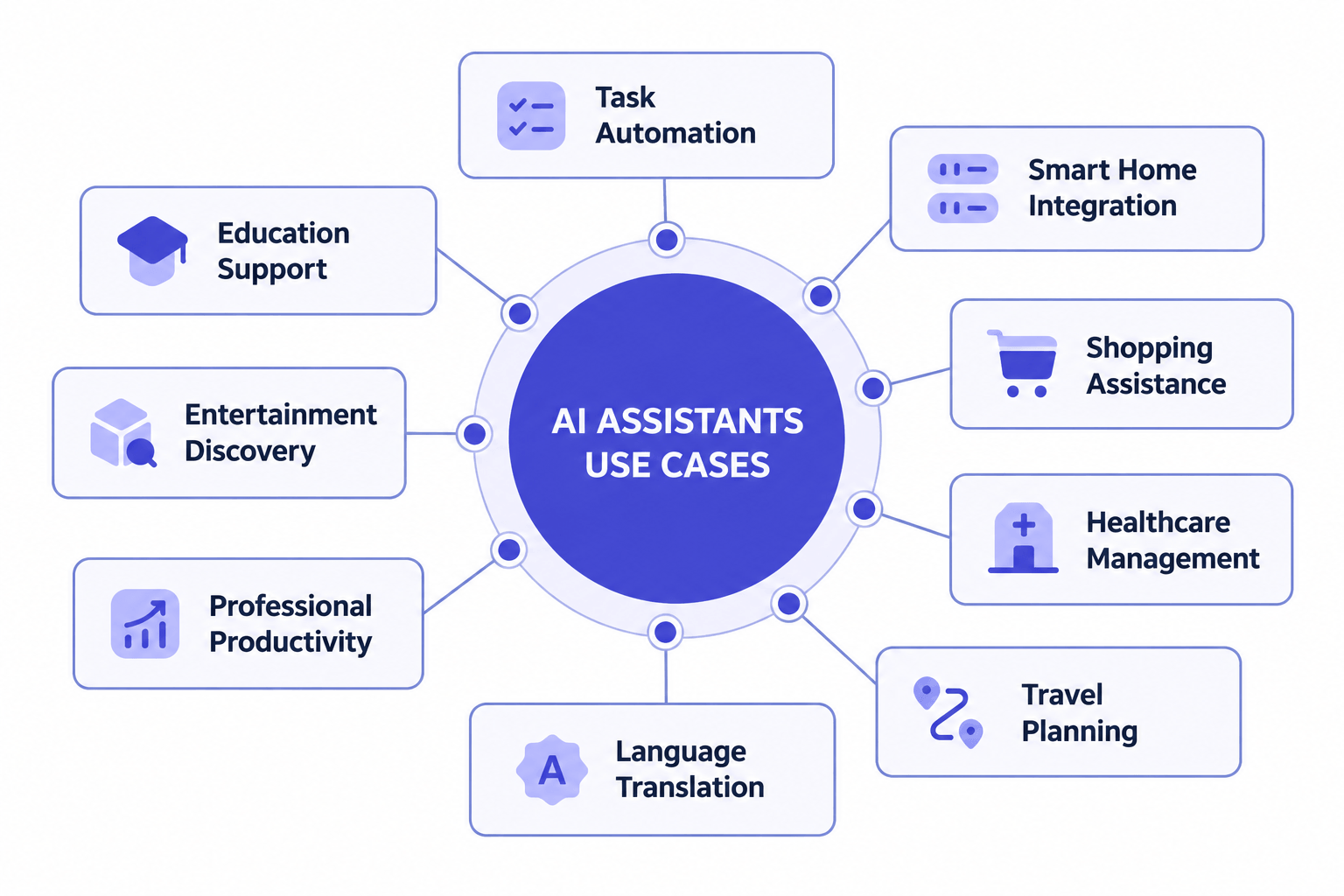
- Writing assistants: Help employees draft emails, improve reports, summarize documents, and generate content ideas.
- Customer support assistants: Answer common questions, explain policies, and guide customers through support processes.
- Research assistants: Summarize information, organize findings, and help users understand complex subjects.
- Coding assistants: Suggest code, explain errors, generate tests, and help developers troubleshoot problems.
- Personal productivity assistants: Help users organize tasks, prepare meeting notes, and manage information.
For example, an employee could ask an AI assistant to summarize a long customer feedback report and identify its main themes. The assistant would return a summary that the employee could review and use to make a decision.
What Is an AI Agent?
An AI agent is an AI-powered system designed to work toward a particular goal by interpreting information, deciding what to do next, using available tools, and carrying out actions within defined permissions.
Unlike a system that only produces a response to a prompt, an AI agent may be able to break a larger objective into smaller tasks, execute those tasks in sequence, evaluate the results, and adjust its approach when necessary.
AI agents can use large language models, business rules, APIs, databases, external applications, and other tools. Their capabilities depend on how they are designed, what information they can access, and which actions they are permitted to perform.
How Does an AI Agent Work?
An AI agent may follow a process like this:
- Receives a goal: The user or system defines the desired outcome.
- Analyzes the situation: The agent examines the available information, instructions, and constraints.
- Plans the next steps: It determines which actions or tools may be needed to achieve the goal.
- Executes tasks: It uses authorized tools, applications, or systems to perform the required actions.
- Evaluates the outcome: It checks the results and determines whether additional steps are needed.
- Reports completion or requests approval: It communicates the outcome and seeks human input when necessary.
Not every AI agent performs all these steps independently. Some require human approval before taking action, while others can execute limited workflows automatically. The level of autonomy depends on the system's configuration, permissions, and risk controls.
Examples of AI Agents
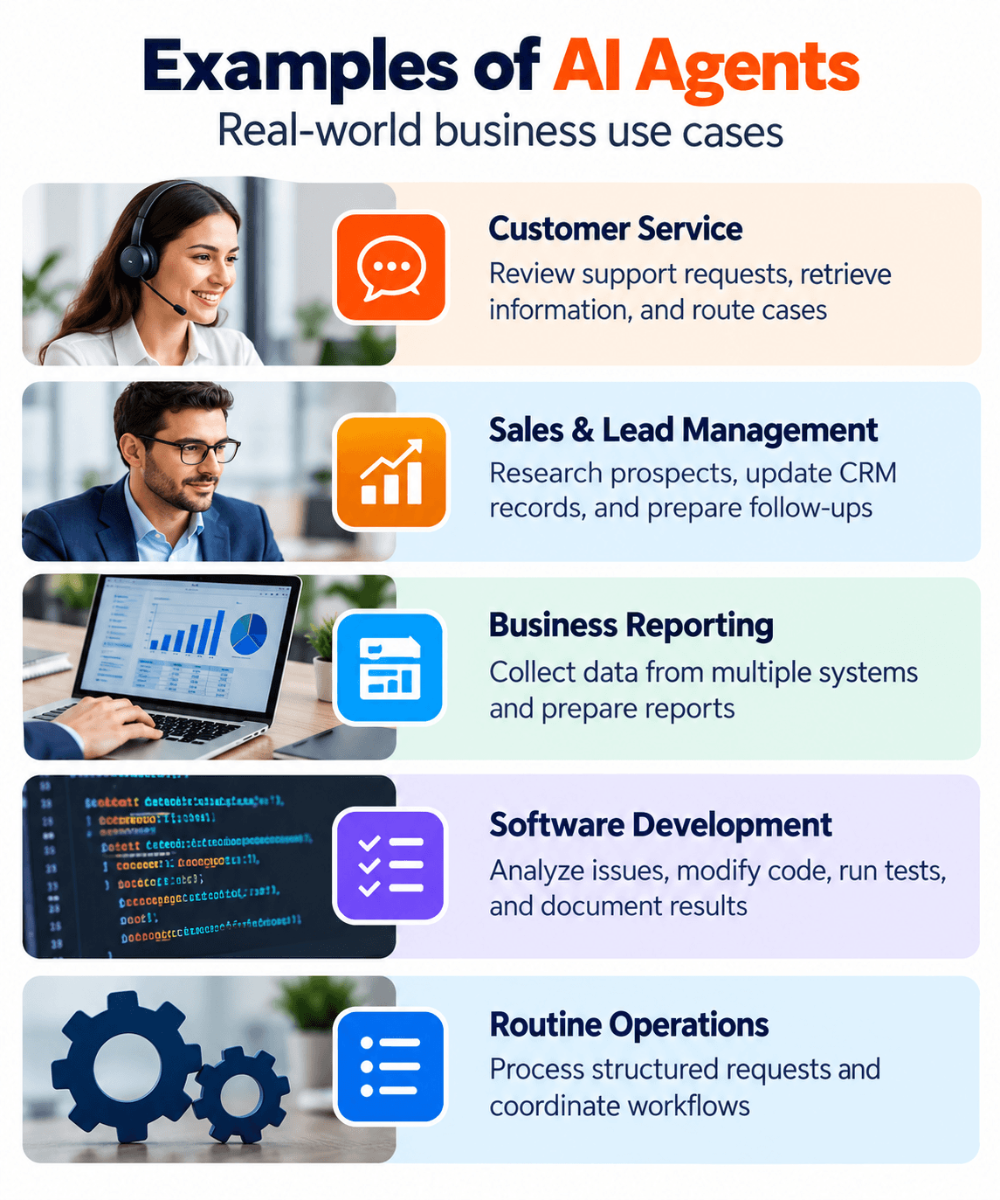
- Customer service agents: Investigate support requests, retrieve relevant account information, and carry out permitted actions such as updating a ticket.
- Sales operations agents: Research prospects, organize information in a customer relationship management (CRM) system, and prepare follow-up tasks.
- Software development agents: Analyze a coding issue, modify relevant files, run tests, and report the results within an approved development environment.
- Business operations agents: Collect information from multiple systems, prepare reports, and coordinate routine workflows.
- Data analysis agents: Retrieve authorized datasets, run analyses, identify patterns, and prepare findings for review.
For example, a business could configure an AI agent to review incoming support tickets, categorize them, retrieve relevant customer information, draft responses, and route cases to the appropriate team. Depending on its permissions, the agent might complete some steps automatically while requesting approval for sensitive actions.
AI Agents vs. AI Assistants: Key Differences
The main difference between AI agents and AI assistants is how they approach tasks. Assistants typically help users perform work through interactions, while agents can be designed to pursue goals by carrying out a sequence of actions.
| Feature | AI Assistants | AI Agents |
|---|---|---|
| Primary purpose | Help users answer questions, create content, and complete tasks. | Work toward a defined goal by coordinating actions and completing steps. |
| Typical workflow | Responds to user instructions and supports the user's next step. | May plan and execute multiple steps to achieve an outcome. |
| Autonomy | Often relies on user direction, although some assistants can take actions. | Can operate with greater independence within assigned boundaries. |
| Decision-making | Provides information, suggestions, and recommendations. | May select actions based on the goal, available information, and rules. |
| Tool usage | May use search, documents, applications, or other connected tools. | May coordinate several tools or systems across a workflow. |
| Human involvement | Users commonly guide the interaction and review the output. | Human involvement can vary from frequent approval to periodic supervision. |
| Best suited for | Writing, research, brainstorming, learning, and employee support. | Multi-step workflows, task coordination, and bounded process automation. |
| Risk considerations | Incorrect answers, inaccurate summaries, and inappropriate recommendations. | All assistant-related risks, plus potential errors from actions taken across connected systems. |
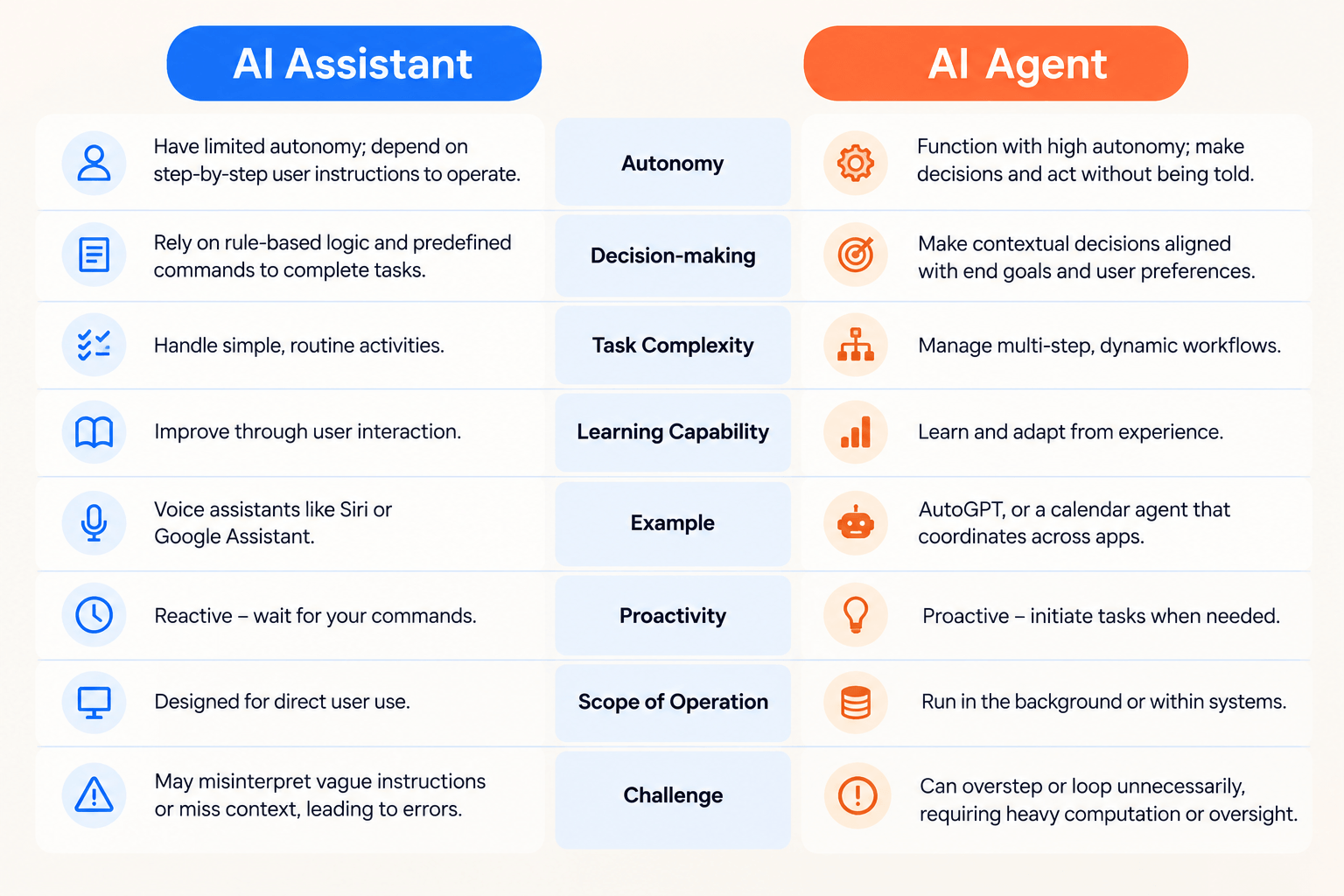
These differences describe common patterns rather than strict technical boundaries. An advanced AI assistant can use tools and complete actions, and an AI agent may require frequent human guidance. Some products combine both approaches.
AI Agents vs. AI Assistants vs. Chatbots
AI agents and AI assistants are also frequently confused with chatbots. Although the technologies can overlap, they generally serve different purposes.
What Is a Chatbot?
A chatbot is a software application that interacts with users through text or voice. Traditional chatbots often follow predefined scripts, decision trees, or rules. AI-powered chatbots can understand natural language and generate more flexible responses.
A chatbot may answer frequently asked questions or direct a customer to the right department. An AI assistant may provide more personalized help, explain information, or support a wider range of tasks. An AI agent may go a step further by coordinating actions across connected systems to achieve a defined outcome.
| Technology | Main function | Example |
|---|---|---|
| Traditional chatbot | Responds to predefined questions or follows a scripted flow. | Provides store opening hours. |
| AI assistant | Helps a user understand information or complete a task. | Explains a return policy and drafts a customer response. |
| AI agent | Works toward a goal by performing authorized actions across steps. | Checks an eligible return request, prepares the required update, and routes it for approval. |
The boundaries are not absolute. A chatbot can serve as the interface for an assistant or an agent, and a single system may combine all three approaches.
Real-World Business Use Cases for AI Assistants
AI assistants can help businesses improve productivity without immediately handing complex workflows over to autonomous systems. They are especially useful when employees need information, recommendations, or help producing work that a person will review.
1. Content Creation and Marketing
Marketing teams can use AI assistants to brainstorm campaign ideas, draft blog outlines, summarize audience research, create email variations, and adapt content for different channels.
For example, a marketing specialist could provide an assistant with a campaign brief and ask it to produce several headline options. The specialist would review the suggestions, check factual claims, and choose the final copy.
2. Employee Training and Knowledge Support
AI assistants can help employees understand internal documentation, locate relevant procedures, and learn new concepts. When connected to approved knowledge sources, they can make company information easier to find.
For organizations investing in workforce development, AI assistants can also support learning activities by explaining technical concepts, generating practice questions, and providing feedback on exercises.
3. Software Development
Developers can use AI assistants to explain unfamiliar code, suggest improvements, generate test cases, and investigate errors. These tools can reduce time spent on routine tasks while allowing developers to retain control over technical decisions.
Read more about AI software engineer bootcamp curriculum to explore the skills involved in modern AI-focused software development.
4. Customer Support
Customer support teams can use AI assistants to summarize conversations, find relevant policy information, draft replies, and suggest troubleshooting steps. Human representatives can review responses before sending them, especially when cases involve complaints, financial matters, or sensitive customer information.
5. Research and Data Interpretation
AI assistants can help employees understand reports, summarize documents, explain trends, and prepare questions for further analysis. Their outputs should be checked against reliable sources, particularly when decisions depend on accurate figures.
Businesses exploring AI-driven data work may also find our guide on what an AI data analyst actually does useful.
Real-World Business Use Cases for AI Agents
AI agents are particularly useful when a business needs to coordinate several related tasks or automate a workflow that would otherwise require repeated manual effort. Their value depends on the quality of the workflow design, the reliability of connected systems, and the controls in place.
1. Customer Service Workflow Automation
An AI agent could review an incoming support request, identify its category, retrieve relevant information, check applicable rules, and prepare the next action. Straightforward requests might be routed automatically, while unusual or sensitive cases could be sent to a human representative.
For example, an agent might collect the information required to process a return and prepare the request for approval rather than making an unapproved refund decision.
2. Sales and Lead Management
Sales teams often spend significant time researching prospects, updating CRM records, organizing follow-ups, and preparing meeting notes. An AI agent could coordinate parts of this process by collecting approved information, updating permitted fields, and preparing reminders or draft communications.
Human review remains important when verifying prospect information, assessing suitability, or sending messages that could affect customer relationships.
3. Business Reporting
An AI agent connected to approved business systems could collect information from multiple sources, calculate selected metrics using reliable tools, prepare a summary, and flag unusual changes for review.
For example, a reporting agent could assemble weekly sales figures from authorized systems and prepare a draft report for a manager. The manager could then verify the results before sharing the report with stakeholders.
4. Software Testing and Development Workflows
AI agents can support development workflows by analyzing a reported issue, identifying relevant code, proposing a change, running available tests, and documenting the result. More advanced systems may create a proposed code change for a developer to review.
However, an agent should not automatically deploy unreviewed code to a production environment simply because it can generate or modify code. Testing, access restrictions, code review, and rollback procedures remain essential.
5. Routine Business Operations
Organizations can explore AI agents for tasks such as processing structured requests, routing documents, checking records for missing information, and coordinating routine administrative steps.
Processes with clear rules, measurable outcomes, and limited exceptions are generally easier to automate safely than workflows involving sensitive decisions or significant uncertainty.
Benefits of AI Assistants for Businesses
AI assistants can provide several benefits when implemented with clear expectations and appropriate review processes.
- Improved employee productivity: They can speed up drafting, summarization, research, and other routine knowledge tasks.
- Faster access to information: Connected assistants can help employees locate relevant information in approved documents and knowledge bases.
- Support for creativity: They can generate ideas, alternatives, and first drafts that employees can refine.
- More accessible learning: Employees can ask questions and receive explanations suited to their needs.
- Human control: Employees can review and refine outputs before using them in important decisions or communications.
These benefits are not automatic. Output quality depends on the assistant's capabilities, the information provided, the quality of connected sources, and the user's ability to evaluate the results.
Benefits of AI Agents for Businesses
When carefully designed, AI agents can help organizations move beyond individual AI-assisted tasks and improve the execution of connected workflows.
- Reduced repetitive work: Agents can handle approved steps that would otherwise require repeated manual input.
- Workflow coordination: They can connect tasks across authorized tools and applications.
- Consistent process execution: Agents can follow defined procedures and business rules when those rules are properly implemented.
- Faster task completion: Multi-step processes may require less manual coordination when the necessary systems are integrated.
- Scalable operations: Well-controlled automation can help teams manage routine workloads as demand changes.
- Proactive exception handling: Agents can flag missing information or unexpected results for human attention.
Businesses should evaluate these benefits through measurable outcomes, such as processing time, error rates, employee workload, customer satisfaction, and the cost of operating the system.
Limitations and Risks of AI Agents and AI Assistants
Both technologies have limitations. Choosing the right system requires understanding not only what it can do but also where it may fail.
Accuracy and Reliability
AI systems can produce incorrect information, misunderstand instructions, or make recommendations based on incomplete context. Generated answers and automated actions should be checked against reliable data and business requirements.
Data Privacy and Security
Connecting AI tools to internal documents, customer records, or business applications introduces privacy and security considerations. Organizations should review data handling practices, access controls, retention policies, and the permissions granted to each system.
Unintended Actions
AI agents may create additional risks because they can act on information or interact with connected systems. An incorrect interpretation could lead to an inaccurate record update, an inappropriate message, or an unintended workflow action.
Businesses should limit agent permissions to what is necessary, maintain logs, test workflows, and require human approval for high-impact actions such as payments, account changes, or production deployments.
Integration and Maintenance
AI agents often depend on multiple applications, APIs, and data sources. Changes to those systems can interrupt workflows or affect results. Businesses need monitoring, error handling, clear ownership, and a process for updating the implementation.
Human Oversight
AI should support appropriate human judgment rather than remove accountability. Employees need to understand when to trust an output, when to verify it, and when to escalate a task to a qualified person.
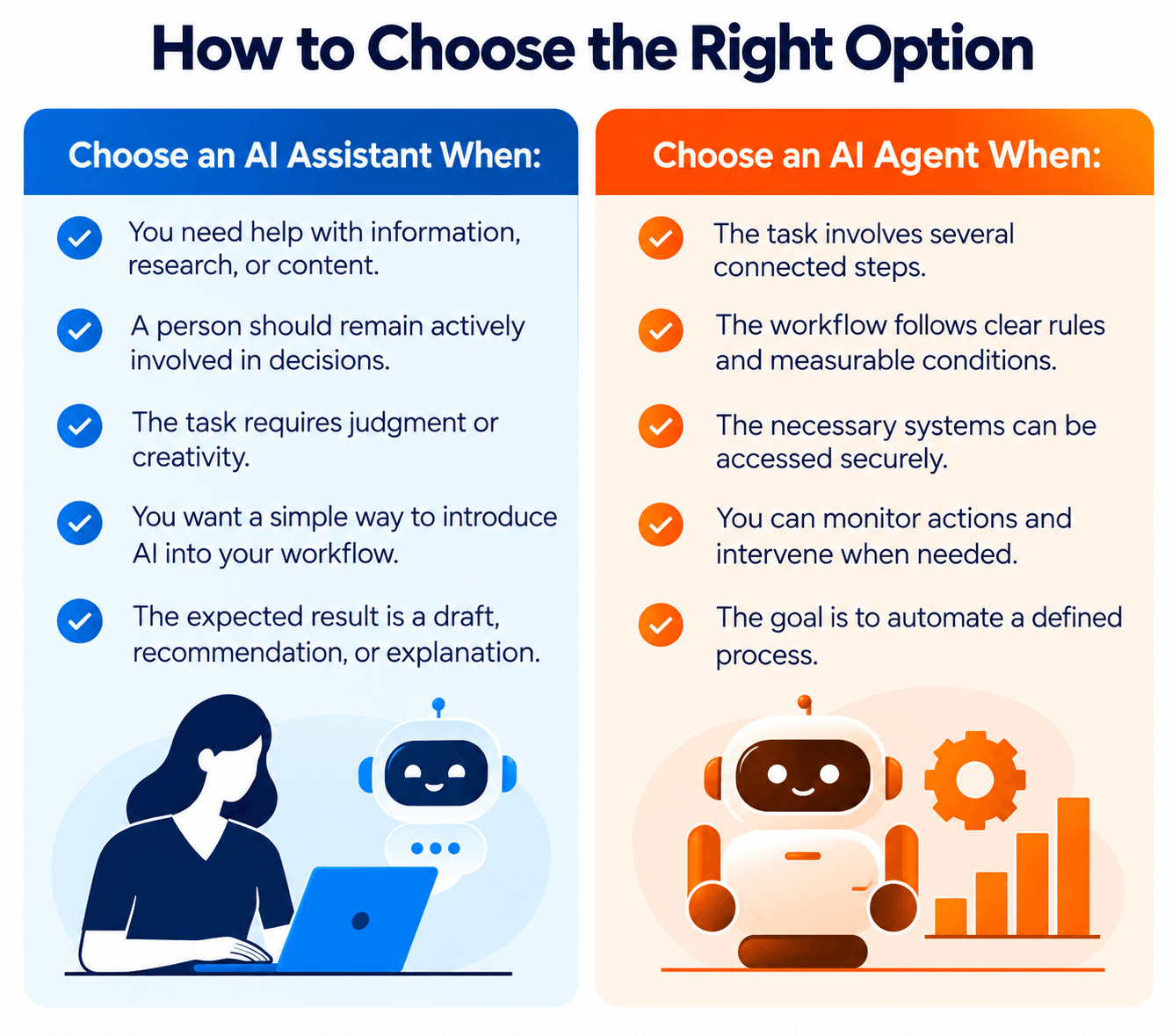
AI Agents vs. AI Assistants: Which Should Your Business Choose?
The right choice depends on the task, the level of risk, the systems involved, and how much independence the workflow requires. Businesses do not need to adopt the most autonomous technology to benefit from AI.
Choose an AI Assistant When:
- Employees need help drafting, summarizing, researching, or understanding information.
- A person should remain actively involved in each major decision.
- The task requires judgment, creativity, or frequent changes in direction.
- You want to introduce AI into an existing workflow with relatively limited process changes.
- The expected result is information, a recommendation, or a draft for review.
Choose an AI Agent When:
- The task involves several connected steps with a clear objective.
- Much of the workflow follows consistent rules and measurable conditions.
- The required tools and data sources can be accessed securely.
- There is a clear process for handling exceptions and requesting approval.
- The organization can monitor actions, measure outcomes, and intervene when necessary.
Consider a Combined Approach When:
Some workflows benefit from using both technologies. An AI assistant can provide the conversational interface through which an employee explains a goal, reviews progress, and asks questions. An AI agent can then execute approved steps behind the scenes.
For example, a sales employee could ask an AI assistant to prepare for an upcoming client meeting. The connected agent might retrieve authorized CRM information, compile relevant account updates, and prepare a meeting brief. The employee could review the brief and correct anything that needs attention.
This approach combines the accessibility of an assistant with the task-execution capabilities of an agent while preserving human oversight.
How to Implement AI Agents or Assistants Successfully
Before adopting either technology, businesses should start with a specific problem rather than selecting a tool simply because it uses AI.
- Identify the business need: Determine whether the goal is to help employees work more efficiently, improve access to information, or automate a defined process.
- Map the current workflow: Document the existing steps, responsible employees, common exceptions, and expected outcomes.
- Select an appropriate use case: Begin with a task that has a clear scope and manageable risks.
- Review data and access requirements: Identify the information and systems the solution needs and apply the principle of least privilege.
- Define human approval points: Decide which actions can be automated and which require review or authorization.
- Test before expanding: Evaluate the system using representative examples, including unusual cases and failure scenarios.
- Measure performance: Track accuracy, completion time, costs, errors, user satisfaction, and other relevant indicators.
- Train employees: Help teams understand the system's limitations, responsible use requirements, and escalation procedures.
A controlled pilot can reveal whether an AI assistant or agent delivers genuine value before an organization commits to a larger implementation.
Skills Needed to Work with AI Agents and AI Assistants
As businesses adopt AI tools, employees need a combination of technical knowledge, critical thinking, and practical problem-solving skills. The specific requirements depend on the role and the complexity of the AI system.
Understanding AI and Large Language Models
Professionals should understand the basic capabilities and limitations of AI systems, including how language models process instructions, why outputs can be inaccurate, and why human verification remains important.
Our guide to AI model training for beginners provides additional background on how AI models are developed and trained.
Prompting and Task Definition
Clear instructions help AI systems produce more useful results. Professionals should learn how to define objectives, provide relevant context, specify constraints, and evaluate generated outputs.
Data Literacy and Critical Thinking
Employees need to assess whether information is complete, reliable, and relevant. Data literacy is especially important when an AI system summarizes reports, analyzes records, or recommends actions.
Learn more about the skills companies expect from AI data analysts to understand how analytical and technical capabilities contribute to AI-related work.
Automation and Systems Integration
Professionals building AI agents may need additional skills in workflow design, APIs, databases, software development, testing, and access management. These skills help ensure that an agent interacts with business systems reliably and securely.
Responsible AI Practices
Understanding privacy, security, bias, transparency, and human accountability is essential when deploying AI in business environments. Teams should know which information can be shared, which actions require approval, and how to report unexpected behavior.
Organizations that want to develop these capabilities can explore WFI's AI software engineering bootcamp and other AI-focused learning opportunities.
Frequently Asked Questions
1. What is the main difference between AI agents and AI assistants?
AI assistants primarily help users answer questions, generate content, and complete tasks. AI agents are designed to work toward goals by planning and carrying out multiple steps, often using connected tools. However, advanced assistants can also perform actions, and agents may require human guidance.
2. Are AI agents more advanced than AI assistants?
Not necessarily. AI agents and AI assistants are different approaches rather than simple levels of intelligence. An agent may have more autonomy in a particular workflow, while an assistant may be better suited to complex conversations, research, or tasks requiring frequent human input.
3. Can an AI assistant become an AI agent?
A system can combine assistant and agent capabilities when it is designed with the necessary planning, tool access, execution logic, and safeguards. However, adding a tool connection to an assistant does not automatically make it a reliable autonomous agent.
4. Are AI agents the same as AI chatbots?
No. A chatbot is an interface for interacting through text or voice. An AI assistant helps users with information or tasks, while an AI agent can pursue a goal by executing a sequence of authorized actions. A chatbot can serve as the interface for either an assistant or an agent.
5. Which is better for small businesses: AI agents or AI assistants?
The best choice depends on the business need. AI assistants can be a practical starting point for writing, research, customer support, and employee productivity. AI agents may be useful when a business has a repetitive, well-defined workflow that can be automated safely. A small pilot can help determine which option offers the greatest value.
6. Can AI agents operate without human supervision?
Some AI agents can perform specific tasks with limited supervision, but complete independence is not appropriate for every workflow. Businesses should set clear permissions, monitor results, define escalation procedures, and require human approval for sensitive or high-impact actions.
7. Are AI agents and AI assistants secure for business use?
Security depends on the system, its configuration, the information it can access, and the controls in place. Businesses should evaluate data handling practices, permissions, monitoring, and compliance requirements before connecting an AI system to internal applications or sensitive information.
8. Will AI agents replace human employees?
AI agents may automate selected tasks and change how certain roles are performed, but their effectiveness depends on the process and the risks involved. Human expertise remains important for complex decisions, relationship management, accountability, and handling unusual situations. Workers can prepare by developing AI literacy, analytical thinking, and skills relevant to their industries.
Conclusion
Understanding AI agents vs. AI assistants helps businesses make more informed decisions about adopting artificial intelligence. AI assistants are useful for helping people create, understand, and evaluate information. AI agents can extend those capabilities by pursuing defined goals, coordinating actions, and automating parts of multi-step workflows.
Neither approach is automatically the right choice for every organization. Businesses should consider the task, expected outcomes, available data, security requirements, and level of human oversight before selecting a solution.
For many organizations, the most effective approach is to begin with a clearly defined use case, test the technology in a controlled environment, and expand only when measurable results justify the investment. By combining appropriate AI tools with employee training and responsible implementation, businesses can improve productivity while maintaining control over important decisions.
October 14, 2026
Related Posts